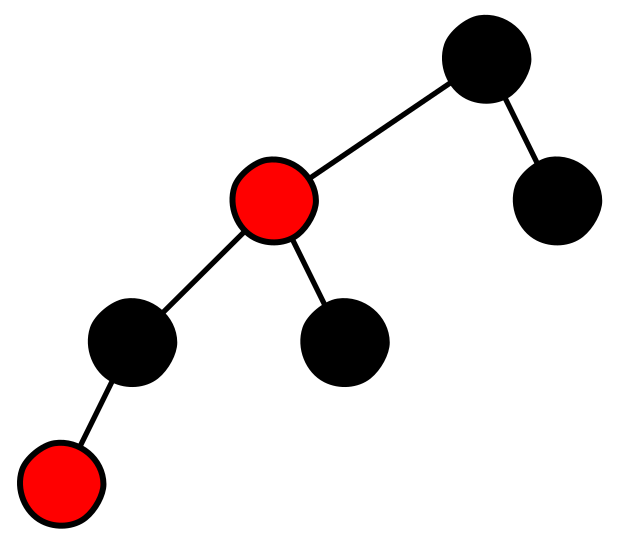
 Red-Black Tree



Description
This project provides a full Red-Black Tree implementation along with a web-based
visualizer. It combines the data structure itself with an interface that allows users to insert,
delete, and search values interactively while observing how the tree preserves its balancing rules.
Team Members
- Steve Andy Ildefonso Santos stiffis
- Bladimir Alferez Vicente bladimirAlfer
Project Structure
project-red-black-tree/
├── assets/
│   ├── css/
│   └── js/
├── rbt_operations/
│   ├── css/
│   ├── js/
│   │   ├── RedBlack.js
│   │   └── lib/
│   └── redblack.html
├── redblack_tree/
│   ├── RedBlackNode.js
│   ├── RedBlackTree.js
│   └── index.js
├── LICENSE
└── README.md
File Structure
redblack_tree/
RedBlackNode.js
Contains the RedBlackNode class, which represents a single node in the Red-Black Tree.
Properties:
data: value stored in the nodeleft: reference to the left childright: reference to the right childparent: reference to the parent nodecolor: node color (REDorBLACK)isNullLeaf: indicates whether the node is a null leaf
Main methods:
isLeftChild()isRightChild()getSibling()getUncle()getGrandparent()isRed()isBlack()setColor(color)
RedBlackTree.js
Contains the RedBlackTree class, which implements the Red-Black Tree data structure.
Properties:
root: root nodenullLeaf: special node representing null leaves
Main methods:
insert(data)fixInsertion(node)rotateLeft(node)rotateRight(node)
index.js
Exports both classes to simplify imports.
rbt_operations/
redblack.html
Interactive web interface used to visualize and manipulate the Red-Black Tree.
Features:
- Graphical tree visualization
- Insert, delete, and search operations
- Animation controls
- Explanatory comments for each operation
js/
Contains the visualization and animation logic:
- RedBlack.js: visualization-specific implementation
- lib/: animation libraries and graphic object handling
Red-Black Tree Properties
- Color property: every node is either red or black.
- Root property: the root is always black.
- Leaf property: all NIL leaves are black.
- Red node property: if a node is red, both children must be black.
- Black path property: every simple path from a node to its descendant leaves
contains the same number of black nodes.
Usage
Basic implementation
import { RedBlackTree } from './redblack_tree/index.js';

const tree = new RedBlackTree();
tree.insert(10);
tree.insert(5);
tree.insert(15);
Interactive visualization
- Open
rbt_operations/redblack.htmlin a browser. - Use the controls to insert, delete, or search for elements.
- Watch the animations that show how the tree preserves its properties.
Demonstrations
1. Insertion
When you press Insert, the new node appears in red and is recolored or
rotated according to the tree rules until the structure becomes valid again.
2. Deletion
When you press Delete, the target node is highlighted, removed, and the tree
is rebalanced with recoloring and rotations.
3. Search
When you press Search, the traversal path is highlighted step by step and the
matching node is marked in blue.
4. Tree print
When you press Print, the tree is traversed in order and the values are
displayed in the lower section of the interface.
Technologies Used
- JavaScript ES6+: data structure implementation
- HTML5: web interface structure
- CSS3: styling and responsive layout
- Canvas API: tree rendering
- jQuery: DOM manipulation and animations
Installation
# Clone the repository
git clone https://github.com/stiffis/project-red-black-tree.git

# Move into the project directory
cd project-red-black-tree

# Open the visualization in the browser
open rbt_operations/redblack.html
Complexity
- Insertion: O(log n)
- Deletion: O(log n)
- Search: O(log n)
- Space: O(n)
Contributions
Contributions are welcome. Please:
- Fork the project
- Create a feature branch (
git checkout -b feature/AmazingFeature) - Commit your changes (
git commit -m 'Add some AmazingFeature') - Push your branch (
git push origin feature/AmazingFeature) - Open a pull request
License
This project is licensed under GPL v3. See the LICENSE file for more details.